
em power · The smart study planner

Build your study plan in minutes. Free.

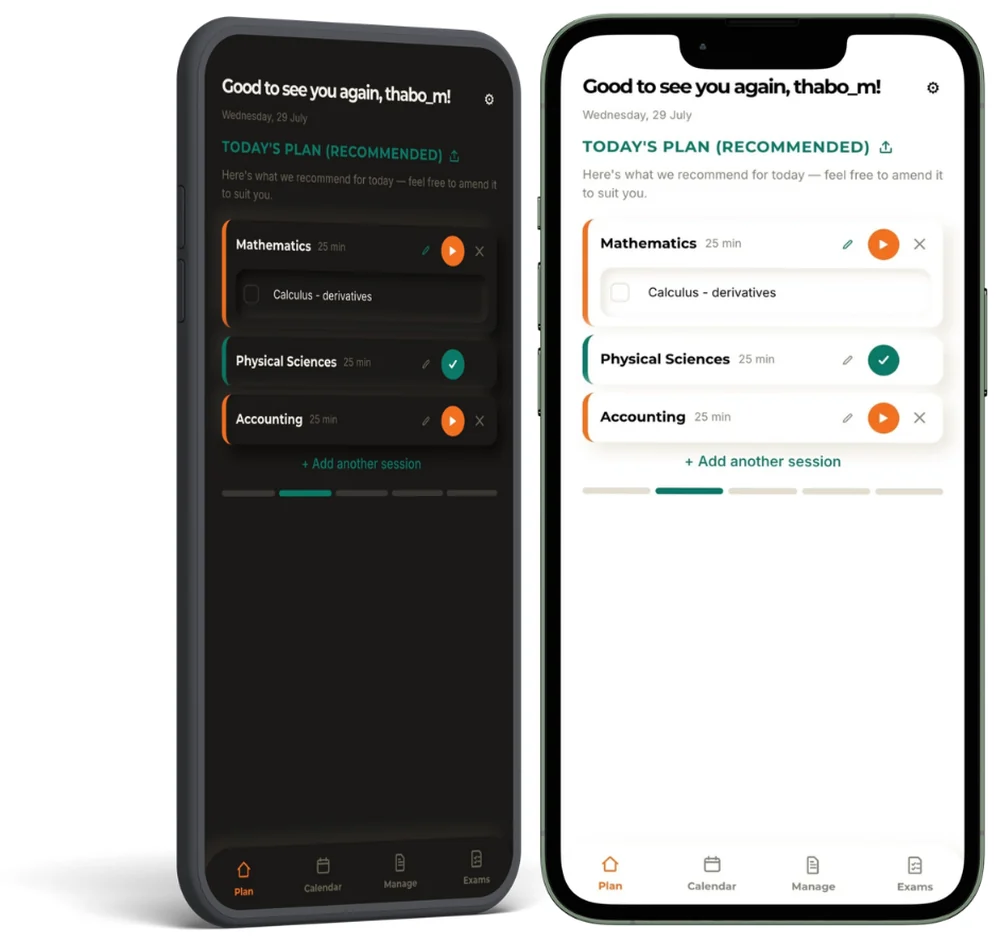
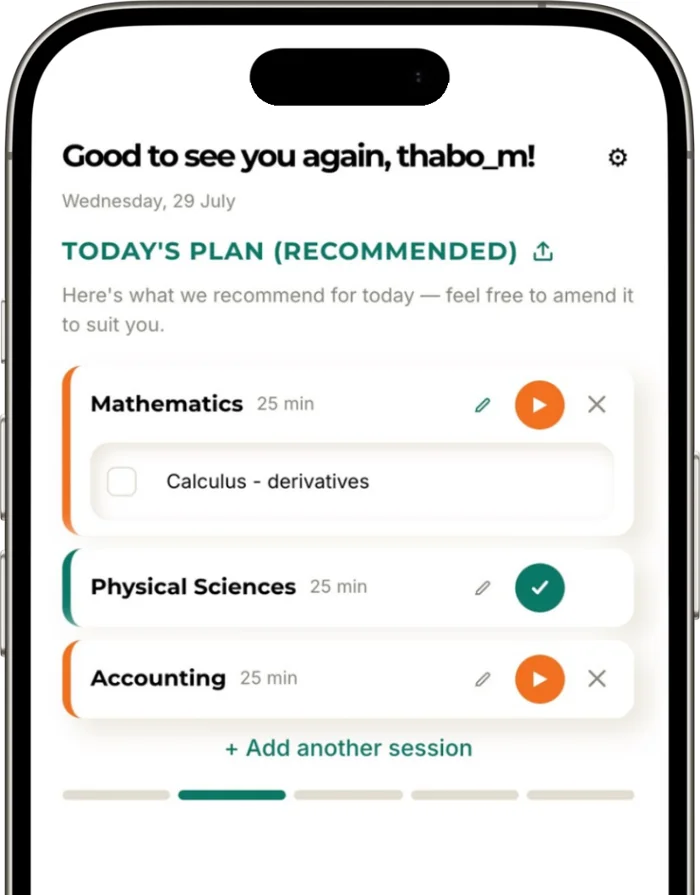
Use this free study planner to add your subjects and exam dates. Get a daily plan that gives more time to the subjects that need it, and a timer for every 25-minute session.

Free Nothing to download Works on any phone English, Afrikaans, French, Arabic, isiZulu & isiXhosa

Includes free use of scientific & financial calculators

How it works

Four steps to a plan you’ll actually follow

Step 1

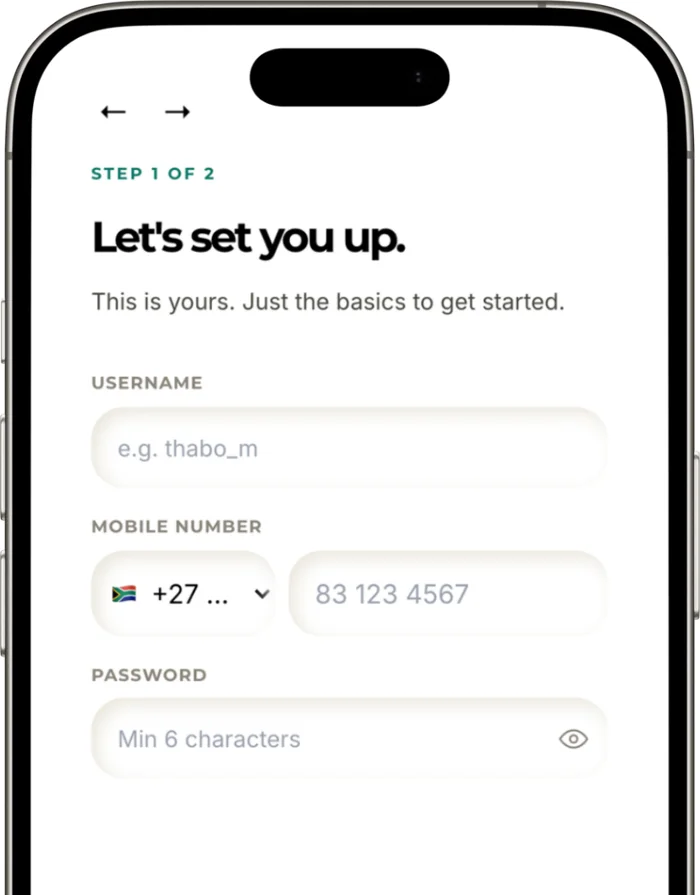
Sign up free

A username, your mobile number and a password.

Step 2

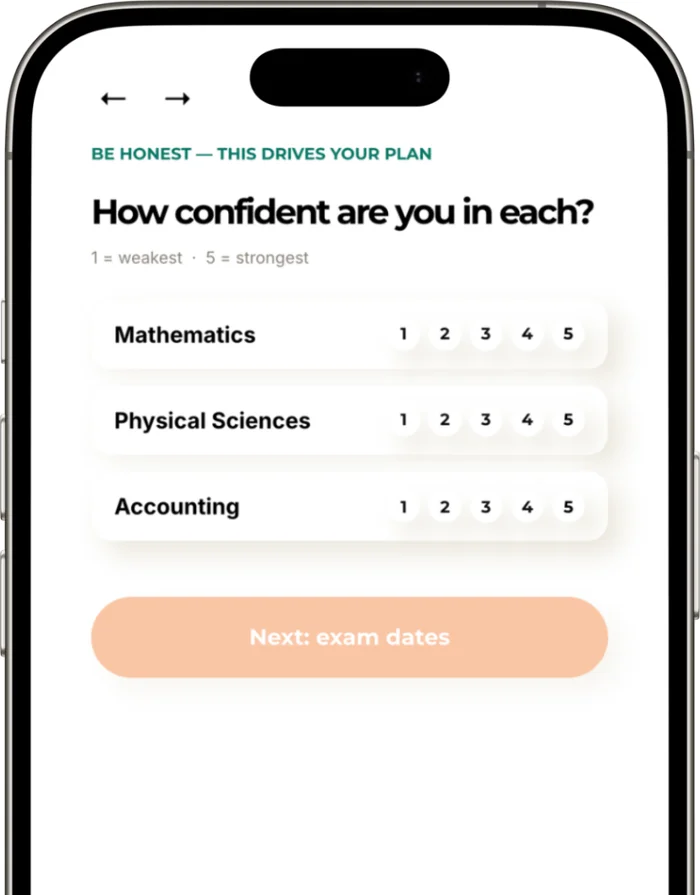
Add and rank subjects

Rate how confident you feel in each one. Your plan adjusts to you.

Step 3

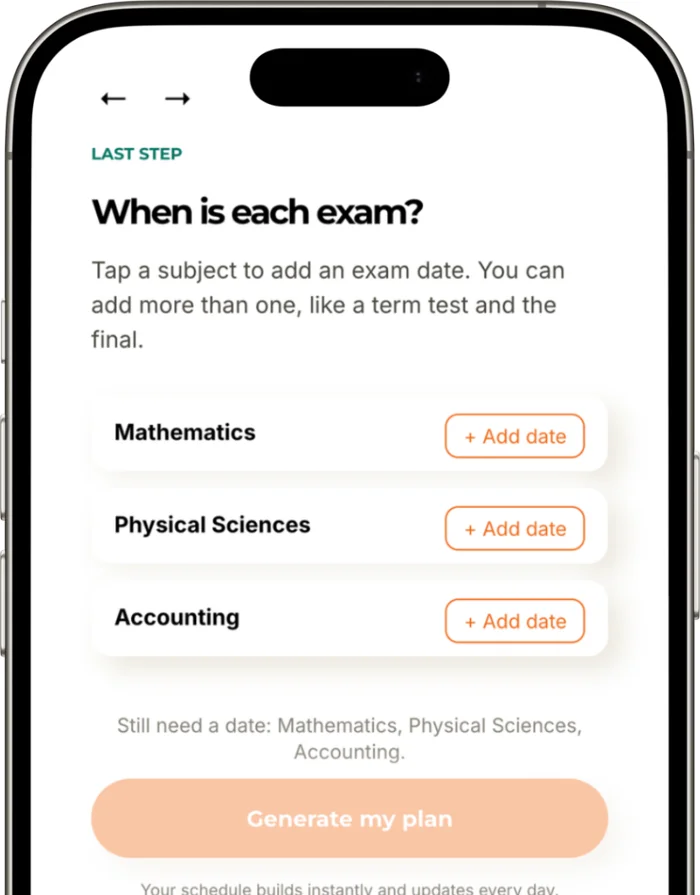
Add exam dates

Tests and finals, with a countdown to each.

Step 4

Follow today’s plan

A fresh plan every day. Press start and the 25-minute timer does the rest.

What you get

Everything a study plan needs. Nothing it doesn’t.

A plan built for you

Subjects that need more attention get more time, based on how confident you feel in each. Your plan updates automatically every day.

Focus in 25-minute sessions

A built-in timer using the Pomodoro method: focus, then take a short break.

Every exam in view

A calendar of study days and a countdown to each test and exam.

Share your plan

Send your plan on WhatsApp to a parent, a tutor or your study group.

Past papers

Grade 12 learners can download past exam papers and work through them.

Practise exam conditions

Set a timer and write a mock exam. It’s how you learn to finish a paper on time and get exam fit.

Keep it one tap away

Save it to your home screen

Look for the em power icon. It opens like an app.

iPhone (Safari)

  1. Open plan.empowermint.co.za in Safari
  2. Tap Share (the square with an arrow)
  3. Tap “Add to Home Screen”, then “Add”

Android (Chrome)

  1. Open plan.empowermint.co.za in Chrome
  2. Tap the three dots at the top right
  3. Tap “Add to Home screen” or “Install app”

Prefer a printed guide? Download the planner guide (PDF)

Questions

Before you start

Want the full method behind the planner? See the book

Yes. You can sign up and use the study planner free.

No. It runs in your phone’s browser at plan.empowermint.co.za. Save it to your home screen and it opens like an app.

Yes. Your plan updates automatically every day, so there is nothing to rebuild. If your confidence in a subject changes or an exam date moves, update your ratings or dates and the plan adjusts.

Any smartphone, tablet or computer with an up-to-date browser, such as Chrome, Safari or Samsung Internet.

Afrikaans, Arabic, English, French, IsiXhosa, isiZulu, with more on the way.

Yes. Add your modules instead of school subjects, plus your test and exam dates. The plan works the same way.

We use it to create your account and log you in. We don’t share it or use it for marketing. Read our privacy policy.

Yes, if you choose. Use the share button on Today’s plan to send it to a parent, tutor or study partner.

Your study plan starts here.

Free. Nothing to download. Works on any phone.

We only use your mobile number to log you in. Read our privacy policy.

Why use a study planner?

A study planner turns a vague intention (“I must study”) into a specific plan (“Maths, 25 minutes, today at 4 pm”). When the plan is written down, you spend less energy deciding and more energy learning.

A good study planner also protects the subjects you enjoy least. Those are usually the subjects that need the most time, and they are the ones we quietly avoid until the exam is close.

How the empowermint study planner works

  1. Sign up free. Use your mobile number. There is nothing to download.
  2. Add and rank your subjects. Put the subject that worries you most at the top.
  3. Add your exam dates. The plan is built backwards from each exam.
  4. Follow today’s plan. Each day shows what to study and for how long.

The study planner gives more time to the subjects that need it and keeps every exam in view, so you always know what comes next.

Study planner screen for ranking subjects on a phone
Study planner screen for adding exam dates

Study planner tips: get more from every session

Plan in 25-minute sessions

Short, focused sessions are easier to start and easier to repeat. Put your phone out of reach, work for 25 minutes, then take a short break.

Rank your subjects honestly

Your favourite subject does not need the most time. Rank subjects by how much help they need, and let the plan follow that order.

Leave space for rest

Sleep, food and movement are part of learning. A plan that leaves no room for rest usually collapses by Thursday.

Review at the end of each week

Spend ten minutes on Sunday looking at what worked. Move what you missed, and keep what helped.
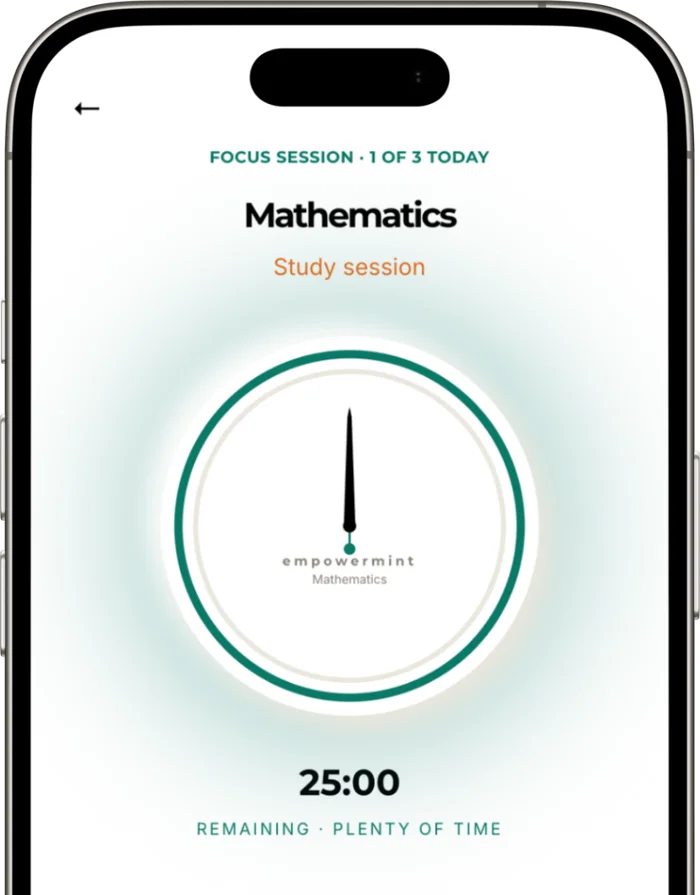
Focus timer for a 25-minute study session

A study planner for every kind of learner

High school learners

Copy your exam dates from the timetable published by the Department of Basic Education and let the study planner spread your revision over the weeks you have left.

University students

Rank your modules, add your test and exam dates and see the whole semester at a glance. Read more about the method in the book Mastering Your Studies.

Parents

You can help without nagging. Ask to see the plan, not the marks. If exam stress ever feels too heavy, the South African Depression and Anxiety Group offers free support at sadag.org or on 0800 12 13 14.

Study planner questions

Is the study planner free?

Yes. The study planner is free to use, and you can add it to your home screen in a few taps.

Do I need to download an app?

No. It works in your phone’s browser, on iPhone and on Android.

Can I use the study planner for university?

Yes. Add any subjects and any exam dates. It works for school learners and university students.

Can I share my plan?

Yes. You can share your plan with a parent, a guardian or a study buddy if you choose to.

Which languages does the study planner support?

English and Afrikaans, as well as French, Arabic, isiZulu and isiXhosa.

Ready to start? Open the free study planner.

Shopping Cart
Scroll to Top